Survived 67 Days Monster Forest How to Redeem Codes
Find the gifts UI, paste carefully, and confirm rewards before your next Blood Moon.
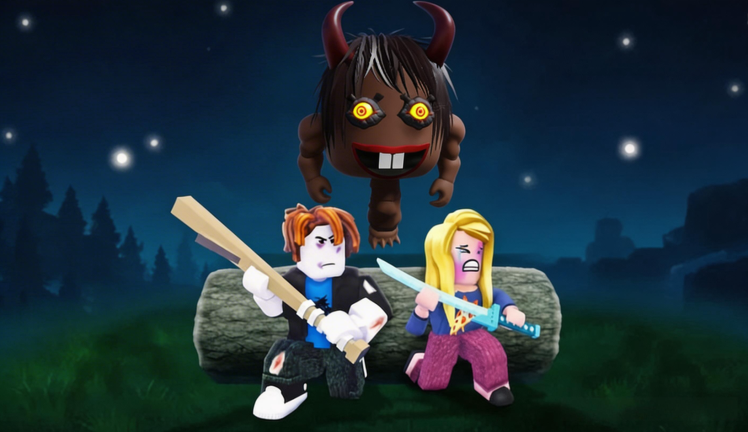
Redeeming codes in Survived 67 Days Monster Forest is simple once you know where the gifts control lives—and frustrating when an expired string looks like a UI bug. This guide walks through a clean redeem flow for Miller Studio’s Roblox survival game so you can claim real rewards quickly and stop retrying dead codes like 453BAE or 12BAW2.
Before you start, open the Codes Hub to confirm whether any string is actually active. As of August 2026, there are no confirmed working codes. Practice the steps below anyway so you are ready the next time a patch drops a promo.
Step-by-step redeem flow
- Launch the correct experience. Join Survived 67 Days Monster Forest from the official Roblox page (Miller Studio). Lookalike titles will not share the same code table.
- Reach a stable menu or lobby screen. Avoid redeeming mid-raid, mid-boss, or while a Blood Moon timer is exploding your attention. A calm screen reduces mis-taps.
- Open the Codes control. Players commonly report a gem icon or Code button toward the bottom-left of the HUD (layouts can shift after patches—scan nearby shop/gifts controls if your build differs).
- Enter the string and hit SUBMIT / confirm. Paste the code exactly into the field, then use the submit control. Do not add spaces. Respect capitalization. Mobile keyboards love inserting trailing spaces—delete them.
- Watch for feedback. A success toast or inventory ping means you are done. An error usually means expired, mistyped, already redeemed, unverified junk from a blog list, or region/account limits.
- Check inventory or currency counters. Some rewards appear as soft currency; others drop materials or gear-adjacent items. Spend with a plan from Best Gear or Build Camp.
UI labels move. If you cannot find a gem control, look for Codes, Gifts, Shop promo, or ticket icons before assuming codes were removed.
Common failure messages (and what they mean)
Invalid / incorrect code usually means a typo, a code from a different game, or an unverified blog string. Double-check against the Codes Hub, Expired Codes, and Unverified Code Claims.
Expired / no longer available means the promo window closed. Historical examples include 453BAE and 12BAW2. Do not keep retrying; move on to gameplay progress.
Already redeemed means your account already claimed that string. Codes are typically one per account, not one per server.
Try again later can be a Roblox or experience hitch. Wait, rejoin, and attempt once more from a quiet menu. If it still fails after a careful paste, treat the code as inactive until a second source confirms it.
Mobile vs. desktop tips
On mobile, paste from clipboard instead of typing from memory. On desktop, copy from this wiki and paste directly—rewriting from a YouTube thumbnail is how O becomes 0. If the on-screen keyboard covers the submit button, rotate or dismiss the keyboard before you assume the button is missing.
If you play online co-op with friends, each player redeems on their own account. One host redeeming does not grant gifts to the whole server.
Timing your redeem around survival goals
Redeem before a long session, not after you already lost a camp to a raid. Ideal moments:
- After joining, before your first gather loop
- After a wipe, before you rebuild defenses
- Right before a planned boss board push (Oblivion’s Eye, Sad Ghost, Crowman, Demon King, or high-diff snake fights)
Avoid redeeming during Blood Moon chaos. You will mistype, miss the reward toast, or die while staring at a menu. Prep with Survive Blood Moon first, then claim gifts in the calm window afterward.
Account and safety notes
Only redeem inside the official experience UI. Never enter codes on random third-party “generator” websites that ask for your Roblox password. Those are phishing traps, not Miller Studio tools.
This wiki will never ask for your password. We also will not tell you to run executors to “auto-redeem.” If you care about account safety more broadly, read Script Safety.
What to do when there are no active codes
August 2026 is a dry window. Use that time productively:
- Follow Getting Started if your camp still feels fragile
- Improve defenses with Build Camp
- Route loot with Find Gear and Weapons and Gear
- Track patch beats on the Updates Hub
Codes return when the developer wants a spike of attention—often near boss or equipment updates. Bookmark the Codes Hub and recheck after notes on the Boss Update Notes page.
Redeem checklist you can reuse
- Correct game selected
- Quiet menu screen
- Code copied from a trusted list
- No extra spaces
- Success toast verified in inventory
- Plan for spending rewards the same session
If every item on that list is true and redeem still fails, the code is almost certainly expired. Compare with Expired Codes and return to the forest—your day counter will not raise itself.
Related pages
- Codes Hub — live status board
- Expired Codes — archive of dead promos
- Unverified Code Claims — disputed Active lists
- Guides Hub — progression that always works
- Script Safety — avoid fake redeem tools
Frequently Asked Questions
Quick answers for Blood Moon survival, codes, bosses, and camp progress.
Do I redeem codes in Roblox Settings or in the game?
Redeem inside Survived 67 Days Monster Forest using the experience’s Codes or Gifts UI, not the generic Roblox account settings page.
Where is the Code button usually located?
Players commonly report a gem icon or Code control near the bottom-left HUD, then a SUBMIT step. Scan shop/gifts areas if a patch moved the control.
Can my whole co-op lobby share one redeemed code?
No. Each Roblox account must redeem separately to receive rewards.
Why does paste fail on mobile?
Trailing spaces and autocorrect are common. Paste, delete extras, then submit from a stable menu screen.
Should I redeem during a Blood Moon?
No. Wait for a calm lobby or post-raid window so you do not mistype or miss the reward confirmation.